
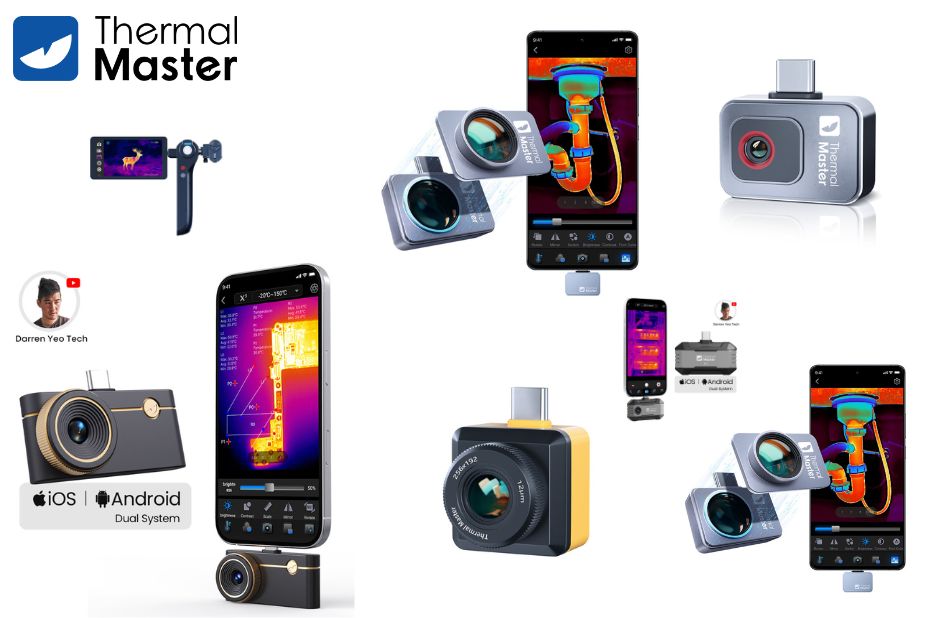
What a thermal camera does
A thermal camera captures infrared radiation to create images that reveal temperature differences across surfaces. This tool is invaluable for diagnosing electrical issues, inspecting building envelopes, and monitoring equipment that cannot be seen with the naked eye. When evaluating models, consider resolution, thermal sensitivity, and the processing options that help you interpret heat thermal camera patterns quickly. A practical choice balances image clarity with ease of use, ensuring you can interpret results on site without a steep learning curve. This technology is increasingly finding use in fields like maintenance, energy audits, and safety checks as a routine part of inspections.
Key features to compare
Look for high spatial resolution to distinguish small details, and a low noise equivalent temperature difference (NETD) to detect subtle temperature variations. A wide field of view helps cover larger areas without constant repositioning. Consider the device’s battery life, ruggedness, and storage options for field work. Some models offer wireless transfer, on-device analysis, and customizable palettes that highlight heat anomalies in a way that matches your workflow. Price ranges can vary substantially, so determine whether you need professional-grade accuracy or a budget-friendly option for occasional use.
Choosing the right tools for your needs
Identify your typical inspection scenarios and match a thermal camera to those tasks. If you work in electrical maintenance, prioritize electronics-friendly palettes and precise hotspot detection. For building science, focus on air leakage patterns and envelope integrity, where clear thermal boundaries guide remediation plans. For outdoor or industrial environments, ruggedized housings, IP ratings, and robust image stabilization become important. Training resources and user communities can help you learn best practices for interpreting heat maps and avoiding common misreads that stem from reflective surfaces or emissivity assumptions.
Practical tips for on site use
Calibrate when possible and verify emissivity settings against common materials you encounter. Develop a standard workflow that includes capturing multiple angles, capturing a reference image for context, and documenting observed hotspots with notes. Keep your devices charged and protected against moisture, dust, and impact. Review images soon after capture to confirm you didn’t miss subtle anomalies, then plan follow up with more detailed measurements if needed. A well-documented process helps you communicate findings clearly to teammates or clients.
Conclusion
Thermal camera technology continues to improve, offering clearer images, faster analysis, and smarter integration with field workflows. When selecting a model, focus on how well it fits your most frequent tasks and how easily you can translate heat patterns into actionable steps. Visit Thermal Master for more information and insights on comparable tools and best practices for infrared inspections.
